HOW TO ASSIGN A COLLAR TO A DOG ON MY SPORTDOG® TEK 1.5
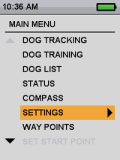
Starting from the main menu, select “SETTINGS” by highlighting and pressing the Right Arrow Key to select.
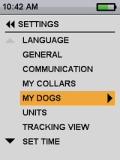
Select “MY DOGS”.
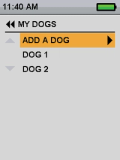
Select “ADD A DOG”.
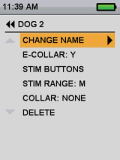
Select “CHANGE NAME” to add your dog’s name. A text screen will display.
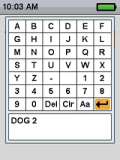
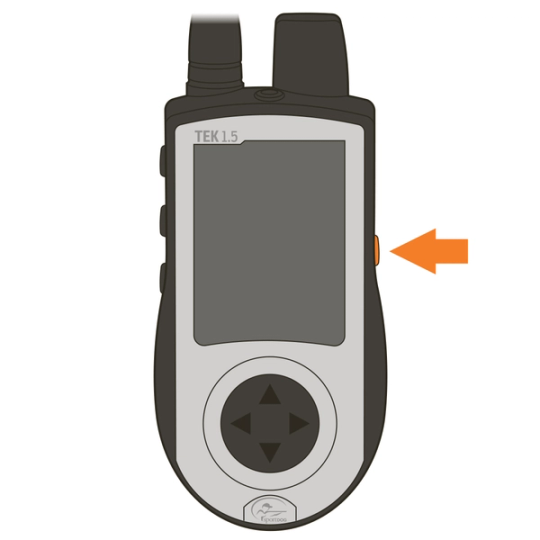
Using the arrow keys, highlight “Clr” and press the Enter button, the bottom button on the right of the handheld, to clear the name.
Spell your dog’s name by using the arrow keys to highlight letters and the enter button to select a letter.
Highlight and press the enter button to save the name.
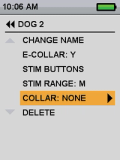
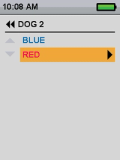
Assign a collar to this dog by selecting “COLLAR”. Use the arrow keys to select the color of the desired collar from the previously paired collars.
You are now ready to track or track and train this dog.
CONTACT CUSTOMER CARE
If you need further assistance, please contact our customer care team.