HOW TO CHANGE THE RUBBER CHARGE PORT COVER ON THE SIT MEANS SIT REMOTE
If you need to replace the battery, this should be done at the same time as they both require opening the remote. HOW TO REPLACE THE SIT MEANS SIT REMOTE BATTERY.
Your remote is still 100% waterproof without the rubber cover. However, they do help keep mud and debris from getting in your charge port and prevent damage to the charging system.
Remove the screws from the back of the remote with a #1 Phillips screwdriver. Then remove the back of the remote.
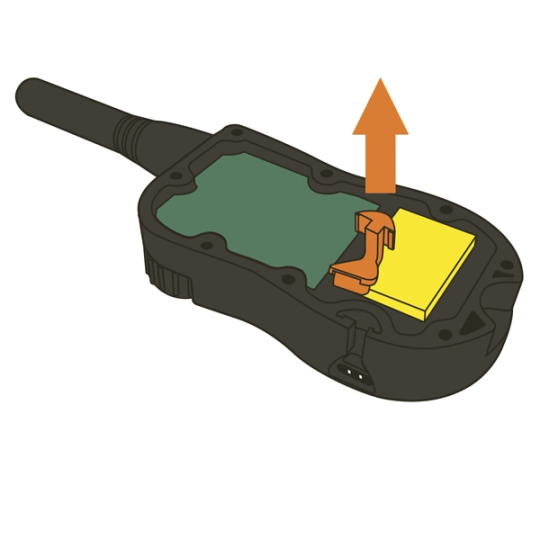
Locate the rubber cover, and remove any pieces left. Even if your cover is missing, you should still check for any remnants.
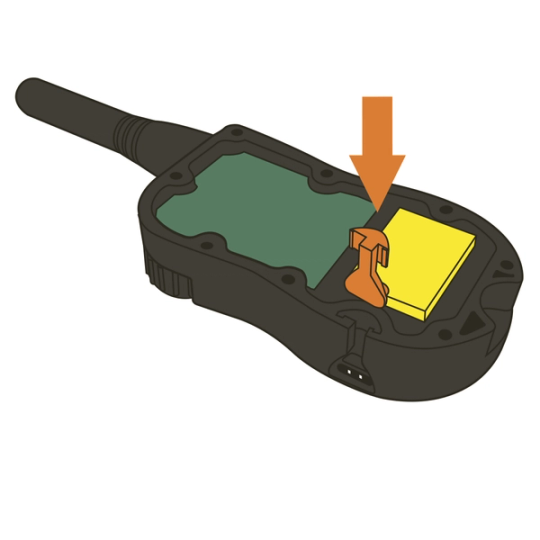
Slide the T- shaped tab of the flap into the slot on the remote.
Put the back of the remote on and hand-tighten all the screws with a screwdriver.
Be careful not to fasten the screws too tight as this can damage the remote transmitter.
CONTACT CUSTOMER CARE
If you need further assistance, please contact our customer care team.